Our first major mgmtOS update
Planner, Offer Room, Activity, pinned items, Overview redesign, release fields, and privacy blur.
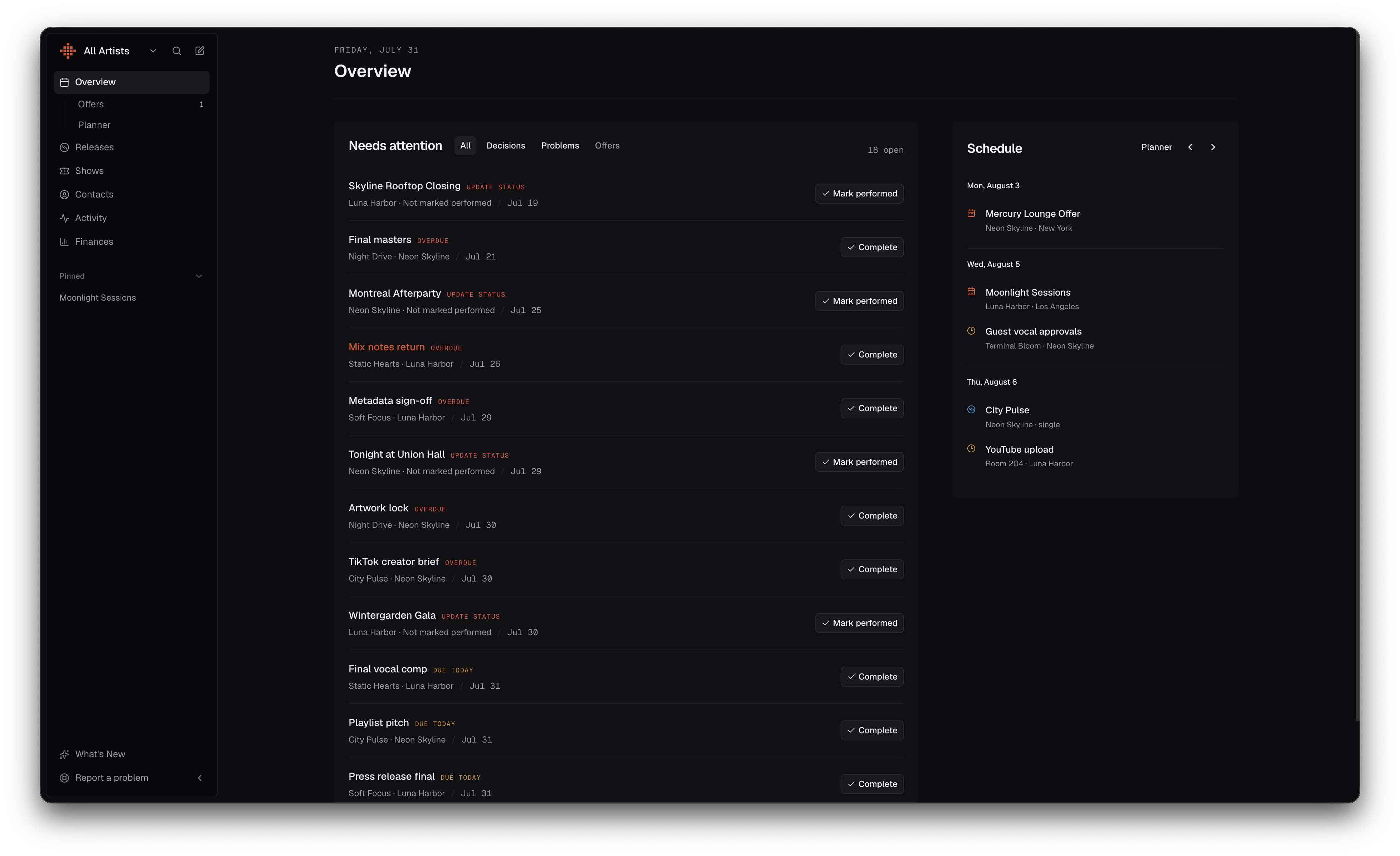
Today we’re shipping our first major update since launching mgmtOS.
This release introduces new ways to plan ahead, review incoming offers, follow activity across your workspace, and keep important shows and releases close at hand.
We’ve also redesigned key workspace pages and improved release management.
Today is now Overview
The Today page has been renamed Overview and redesigned as a clearer command center for your workspace.
Needs attention now brings decisions and operational problems into one queue, with filters for All, Decisions, and Problems.
The compact schedule focuses on real commitments over the next seven days, while longer-term planning now lives in Planner.
Plan ahead with Planner
The new Planner gives your team a wider view of what’s ahead across the next 7, 30, or 90 days.
Shows, releases, and deadlines appear together on one timeline, making it easier to spot potential problems before they become urgent.
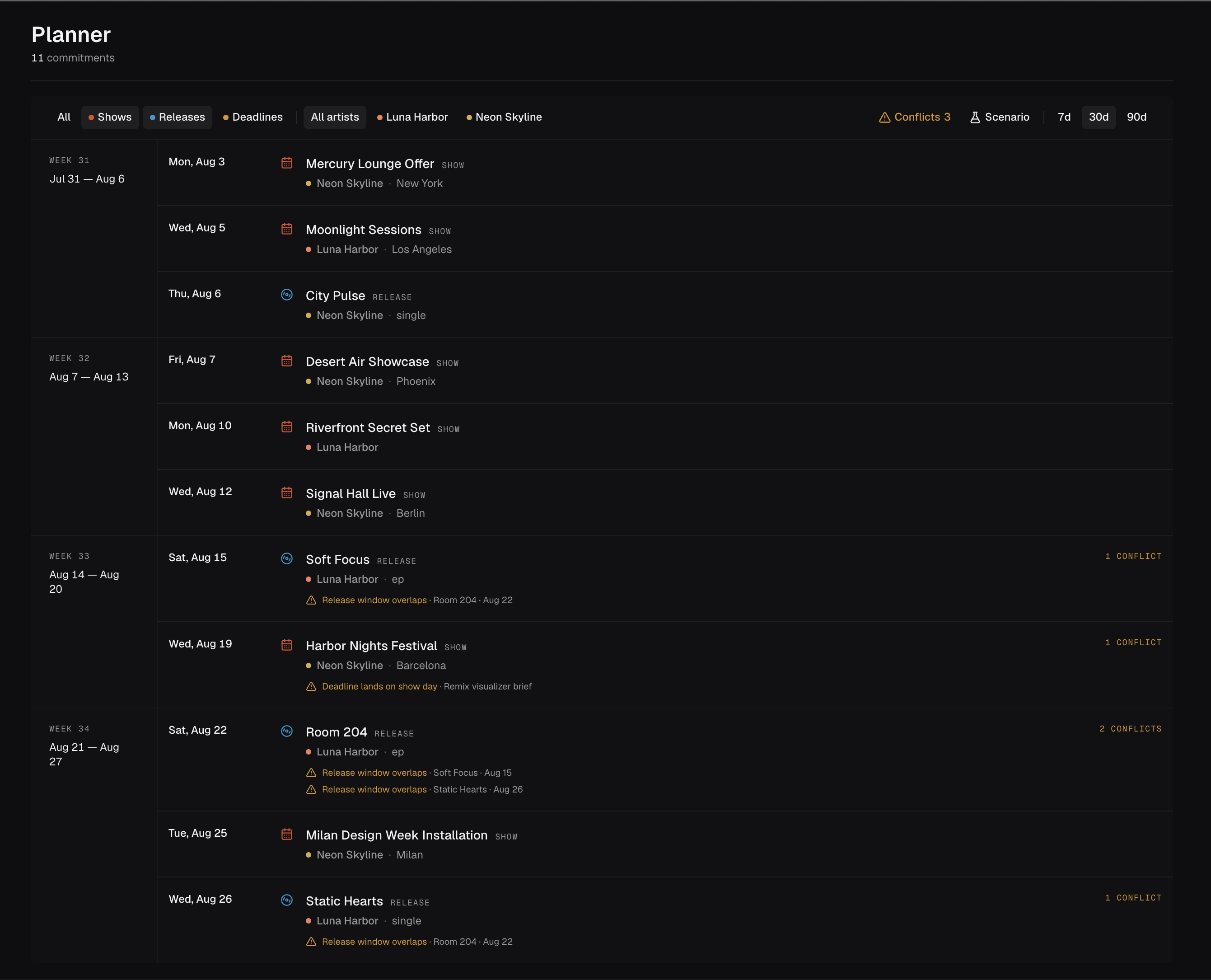
Planner can highlight:
- Double-booked show dates
- Difficult travel between shows
- Shows that clash with releases or deadlines
- Overlapping release campaigns
You can also preview moving an event to another date and immediately see how that change would affect the rest of the schedule—without modifying the saved plan.
Review offers in Offer Room
Offer Room provides a focused workspace for reviewing incoming show offers one at a time.
Each offer appears alongside the artist’s surrounding schedule, so you can understand what is already happening around that date before making a decision.
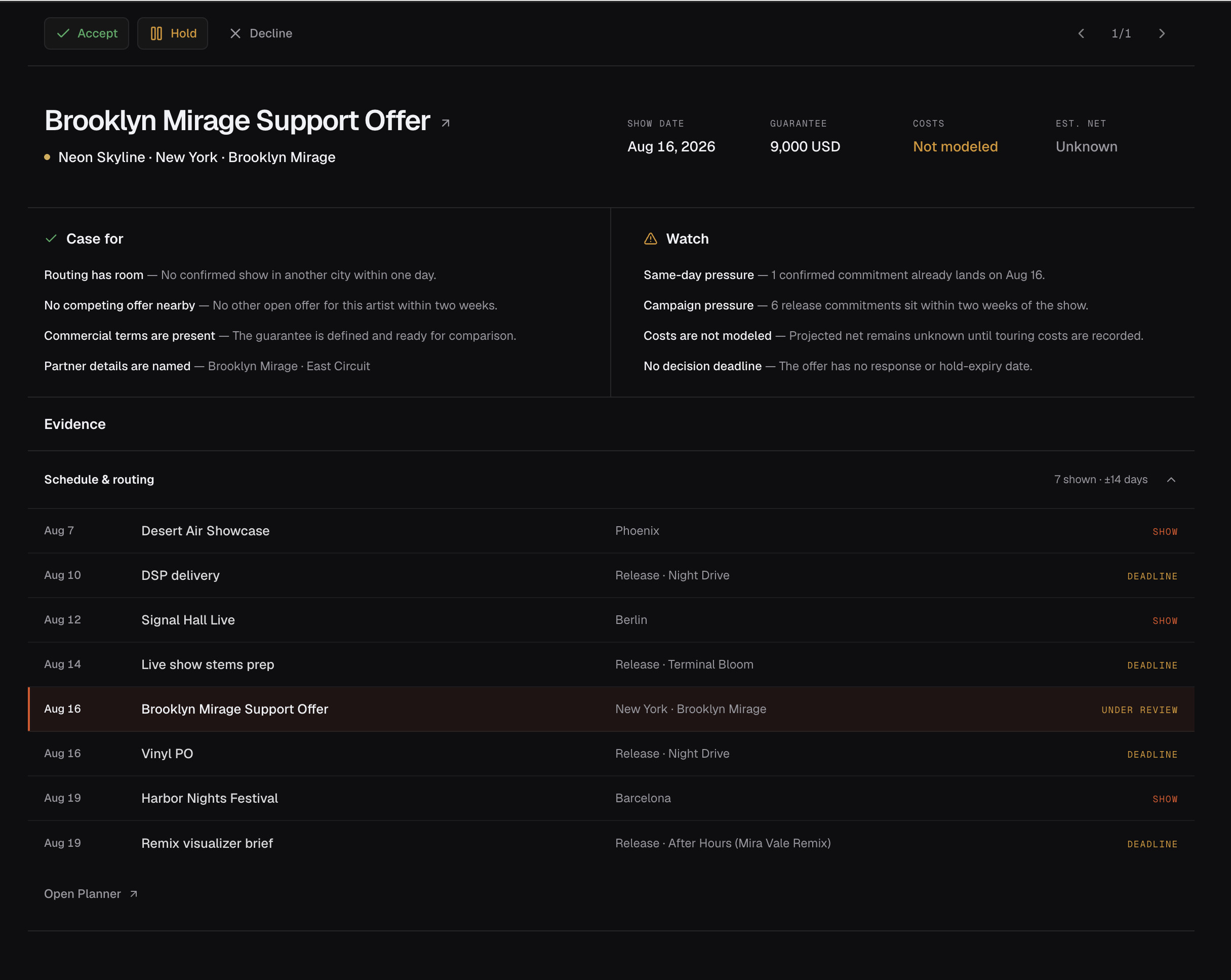
You can accept, place on hold, or decline an offer without jumping between different pages. Keyboard controls also make it faster to work through a larger queue.
Put offers on hold
You can now mark an offer as On Hold when you need to reserve a date without accepting or declining it.
Held offers remain visible on the calendar but temporarily leave the attention queue, helping you stay focused while waiting for more information.
You can accept, decline, hold again, or release the hold at any time.
Offers can also include optional Respond by and Hold expires dates, making it clearer when a response is expected and when a held offer should return for attention.
Pin important shows and releases
Shows and releases can now be pinned directly to the sidebar.
Pins are personal to each team member and remain synced across devices. This makes it easier to return to the items you are actively working on without changing the workspace for everyone else.
Each user can keep up to eight shows or releases pinned at once.
See workspace activity in one place
The new Activity page brings recent changes from across your workspace into one chronological feed.
You can filter activity by shows, releases, or artists, switch between artist workspaces, and open the related item directly from each update.
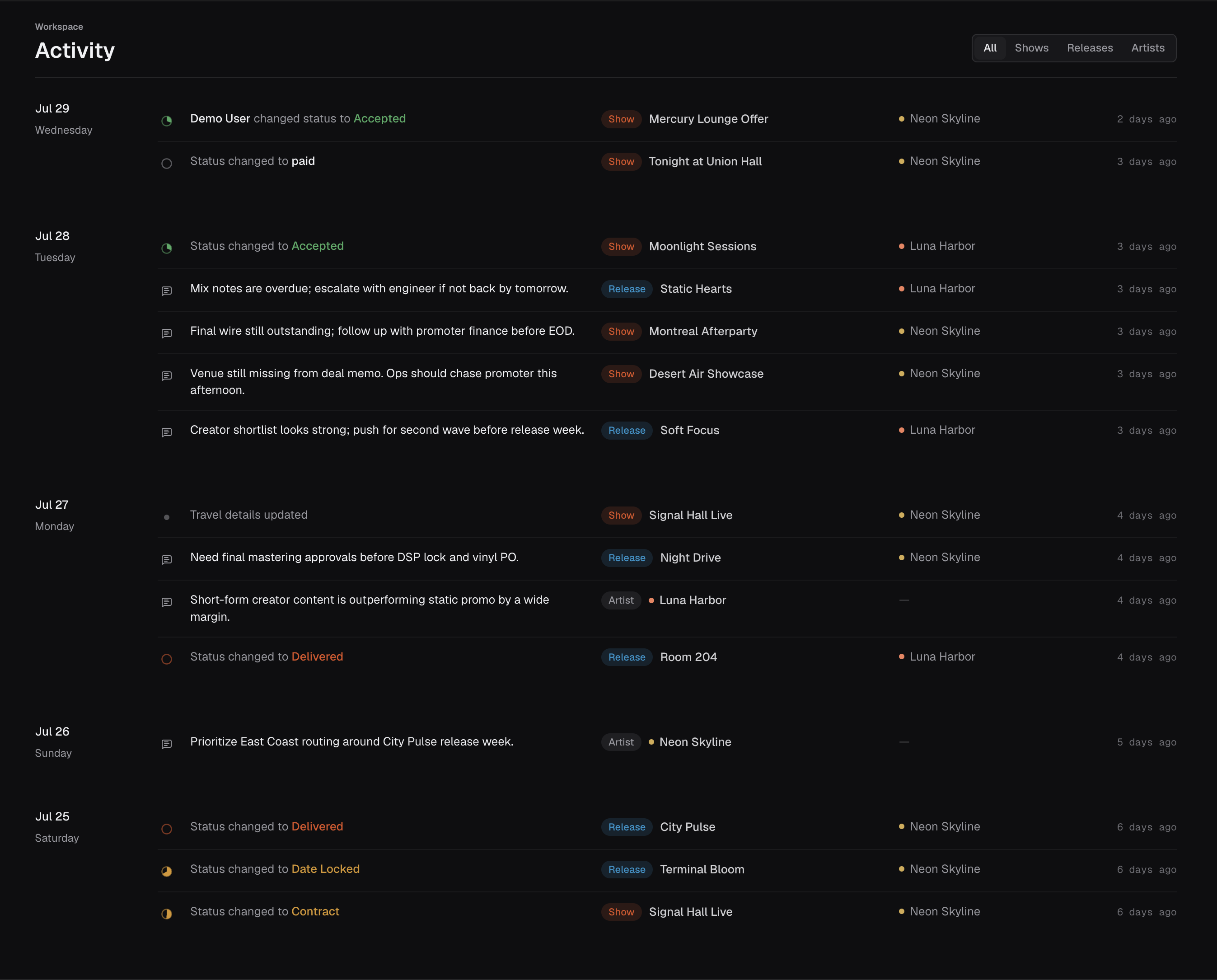
Notes, status changes, and other important actions are now easier to follow across the whole team.
A clearer show detail page
Show pages have been redesigned to make the most important information easier to find.
Deal information, location details, and recent activity now appear near the top of the page. The itinerary, travel details, finances, costs, and settlement summary follow in clearer and more consistent sections.
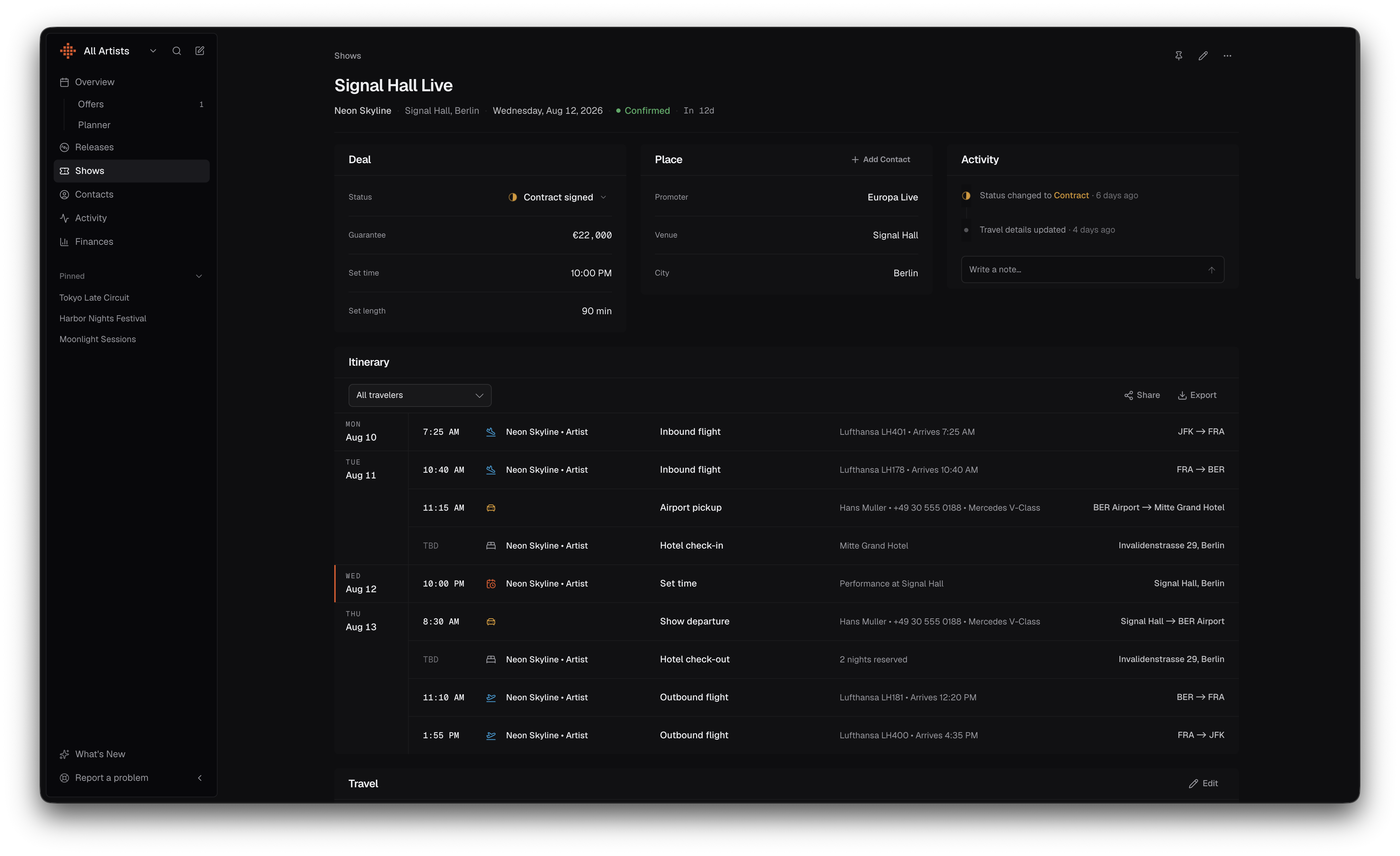
The denser layout reduces unnecessary scrolling while keeping the information managers use most often visible.
Hide sensitive values while screen sharing
A new privacy setting lets you blur fees, expenses, commissions, guarantees, and other financial values across mgmtOS.
Turn on Blur sensitive values before sharing your screen, then switch it off when you need to see the real figures again.
Exports, copied summaries, and printable reports continue to use the correct amounts.
More complete release information
Release forms now include dedicated fields for:
- Genre
- UPC or EAN
- ISRC
Collaborators can be added to any release type, and release pages now include a dedicated link for stems.
We also improved release editing so existing tags, custom fields, and notes are preserved when changes are saved.